Creating Excel files with Python and XlsxWriter#
XlsxWriter is a Python module for creating Excel XLSX files.
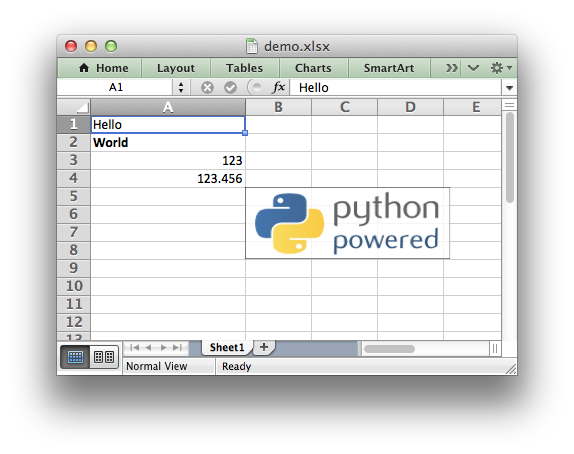
(Sample code to create the above spreadsheet.)
XlsxWriter
XlsxWriter is a Python module that can be used to write text, numbers, formulas and hyperlinks to multiple worksheets in an Excel 2007+ XLSX file. It supports features such as formatting and many more, including:
100% compatible Excel XLSX files.
Support for writing all basic Excel data types.
Full cell formatting support.
Formula support, including new Excel 365 dynamic functions.
Charts.
Hyperlink support.
Page/Printing Setup support.
Merged ranges.
Conditional formatting.
Data validation and drop down lists.
Cell comments.
Textboxes.
Checkboxes.
Sparklines.
Worksheet PNG/JPEG/GIF/BMP/WMF/EMF images.
Workbook themes.
Rich multi-format strings.
Outline groupings.
Defined names.
Autofilters.
Worksheet tables.
Pivot tables.
Integration with Pandas and Polars.
Support for macros.
Custom UI/Ribbon elements.
Memory optimization mode for writing large files.
It supports Python 3.8+ and PyPy3 and uses standard libraries only.
This document explains how to use the XlsxWriter module. See the following sections for more information, or jump straight to the Introduction.
- Working with Cell Notation
- Working with and Writing Data
- Working with Formulas
- Working with Dates and Time
- Working with Colors
- Working with Charts
- Working with Object Positioning
- Working with Autofilters
- Working with Data Validation
- Working with Conditional Formatting
- Working with Worksheet Tables
- Working with Pivot Tables
- Working with Textboxes
- Working with Sparklines
- Working with Cell Comments
- Working with Outlines and Grouping
- Working with Memory and Performance
- Working with VBA Macros
- Working with Custom UI Elements/Ribbons
- Working with Pandas and XlsxWriter
- Working with Polars and XlsxWriter